3D workflow in PapaiArt Animation Studio: materials and outlines
The graphics engine in PapaiArt Animation Studio is built for traditional 3D modeling and animation, but its main strength is how it fits 3D objects into a drawn, 2D cartoon look. This article goes through 3D animation, the material system and the 3D Outline system.
1. 3D animation and keyframes
3D animation runs on a Keyframe system. The transform properties of any 3D entity (Position, Rotation, Scale) can be recorded onto animation tracks (AnimTrack) along the main timeline. Motions can be tuned in a Graph Editor with several interpolation modes. Because the same timeline drives 3D and 2D, camera moves and object transforms stay in sync with the 2D drawing clips frame for frame.
2. Stylised (NPR) materials and cel-shading
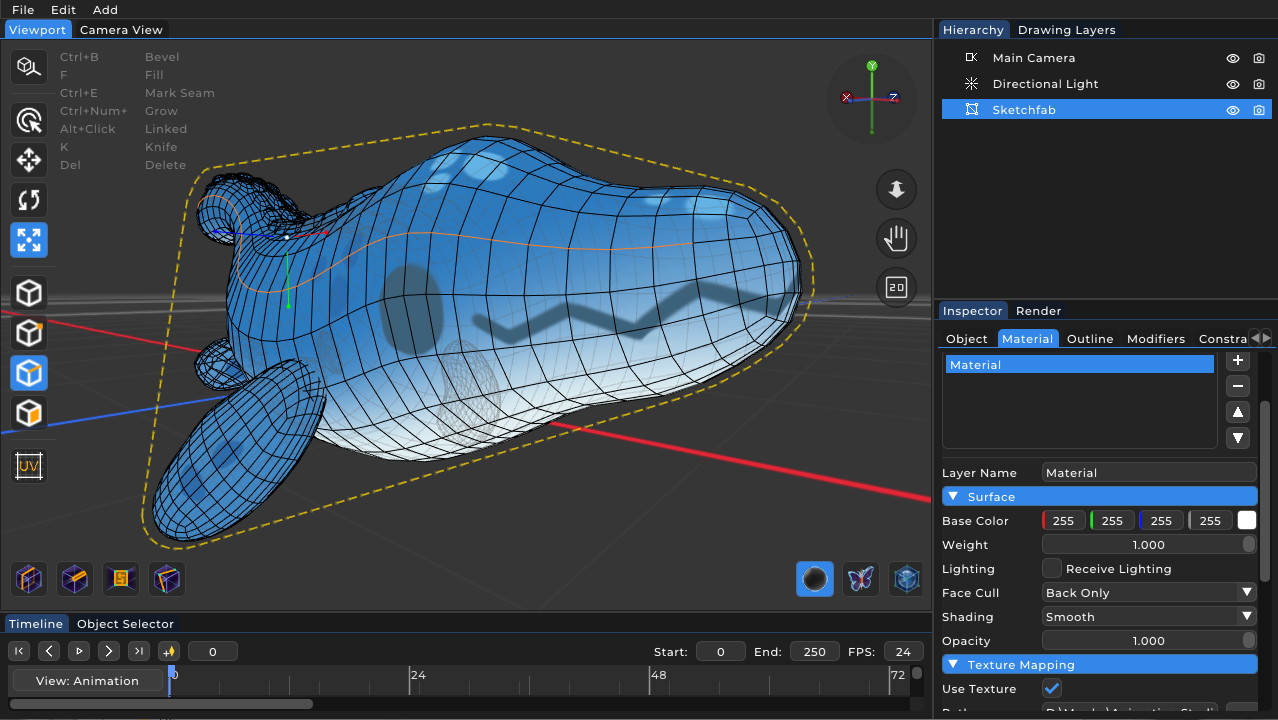
Most modern 3D software targets physically based rendering (PBR). PapaiArt Animation Studio is built around non-photorealistic rendering (NPR) and cel-shading. The MaterialGroup architecture lets you build visual rules rather than just applying flat textures.
For each material layer, properties like Light sensitivity (LightVisibility) and Texture mapping (ProjectionMode) can be set independently. Two examples:
With the LightVisibility parameter, a material can be set to render only in shadow (OnlyInShadow). If a 3D character has a cross-hatch texture set this way, the lit parts stay clean while the hatching only appears in the unlit areas. As the light source moves, the hatched texture follows the shadow.
The ProjectionMode controls how a texture is mapped onto a 3D model. Besides standard UV mapping, the software offers Camera (screen-space) projection. If a halftone dot pattern is applied with Camera projection, the pattern is fixed to the screen and the 3D object acts as a moving mask revealing the pattern underneath. It is a common technique in comic-style 3D animation.
3. The 3D outline generator
One of the more distinctive features of the engine is the customisable, real-time 3D Outline rendering pass (RenderPass::Outline). It can take a dense 3D polygonal mesh and render its edges so the result looks closer to a hand-drawn frame.
Most 3D software adds a simple, uniform stroke around a model. The outline system in PapaiArt Animation Studio uses the same vector brush engine (BrushParams) on 3D edges as the 2D drawing tools use on the canvas.
The edge detection has three modes:
- Silhouette: draws only the outer boundary of the model as seen from the camera.
- Crease: draws internal edges based on an angle threshold (creaseThreshold).
- Material border: draws strokes where two different materials meet on the mesh.
Because the generated outlines inherit the 2D brush styles, the edges of a 3D model can be angle-sensitive (Calligraphy) or have a procedural wobble that imitates a hand-drawn line (Rough). This is what ties the 3D and 2D sides of the software together for 2.5D production.