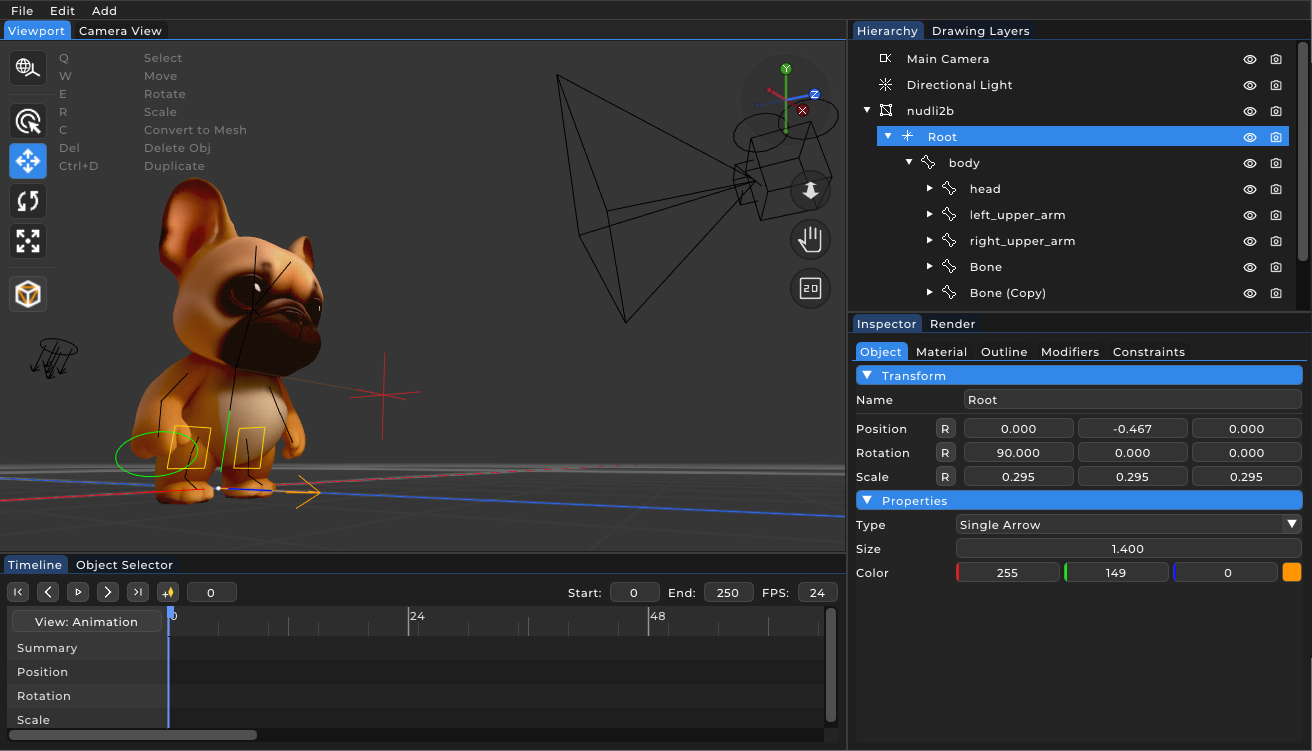
Rigging and constraints in PapaiArt Animation Studio
"Rigging" is the process of preparing a 3D model for animation: building an internal skeleton and defining how it can move. A full constraint system is uncommon in compact, lightweight software, but PapaiArt Animation Studio includes one. The goal is to keep the interface simple while still covering the rigging features that character animation actually needs.
The constraint system
Constraints are rules assigned to 3D entities. They override or modify manual transforms (position, rotation, scale) to automate motion that would be tedious to keyframe by hand. The built-in constraints include:
- Inverse Kinematics (IK chain): in Forward Kinematics (FK) you move a hand by rotating the shoulder, then the elbow. IK works the other way around: you grab the hand (the target) and move it, and the ConstraintSolver calculates the bend angles for the shoulder and elbow in real time.
- Track To (Look At): useful for cameras and eyes. The TrackToConstraint rotates an object to keep it facing a target entity. If the target moves, the camera or the character's gaze follows it without any rotation keyframes.
- Copy Transform: copies the position, rotation or scale of another entity. Useful for proxy objects or for keeping mechanical parts in sync (for example copying the rotation of one gear onto another).
- Child Of (dynamic parenting): standard hierarchy is static, but the ChildOfConstraint is animatable and can be toggled on and off over time. This is how you let a character pick up a cup (toggle on: cup follows the hand) and put it down later (toggle off: cup stays on the table).
Real-time constraint solver
Constraints do not work in isolation. The engine has a dedicated ConstraintSolver that evaluates the chain of constraints frame by frame. It can handle nested and chained rules. For example an IK hand target tracking a moving vehicle while a camera tracks the hand. The result stays stable even with fairly complex setups.