System architecture and modular UI
How an animation software delivers its features matters as much as the features themselves. The architecture of PapaiArt Animation Studio focuses on three things: stability, memory efficiency and a UI you can rearrange to fit the task.
1. Modular, dockable UI (DockSpace)
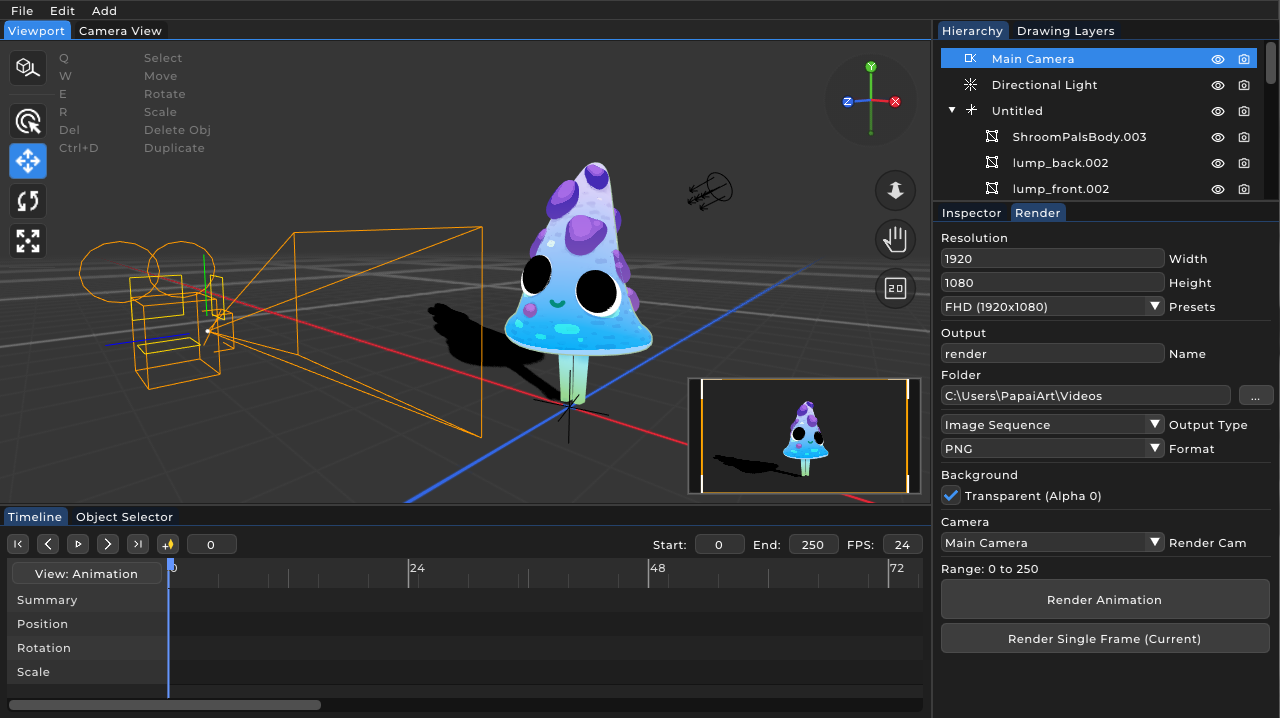
Workflows in a hybrid 3D/2D software vary a lot. A rigger needs the hierarchy and constraint parameters in view; a 2D animator wants the canvas and the timeline to take up most of the space. PapaiArt Animation Studio uses a DockSpace instead of a fixed layout.
Every panel (Viewport, Timeline, Inspector, Hierarchy, Drawing Layers) can be moved, resized, snapped to screen edges or nested as tabs. You drag and drop panels into the layout that fits your task, and the interface stays out of the way.
2. Undo/Redo architecture
The creative process involves a lot of trial and error. The built-in UndoRedo system is based on the Command Pattern. It covers more than parameter tweaks: it handles topological changes (3D mesh editing) and vector edits (2D stroke manipulation).
3. Data-driven save and load
Saving and loading project files (ProjectSerializer and EntitySerializer) uses a JSON-based format. The scene is structured as a tree of entities, so the serializer walks the tree recursively. The format is designed for backward compatibility: if new parameters are added later (a new brush style for example), older project files still load, falling back to default values for the missing data.