 Level Modeller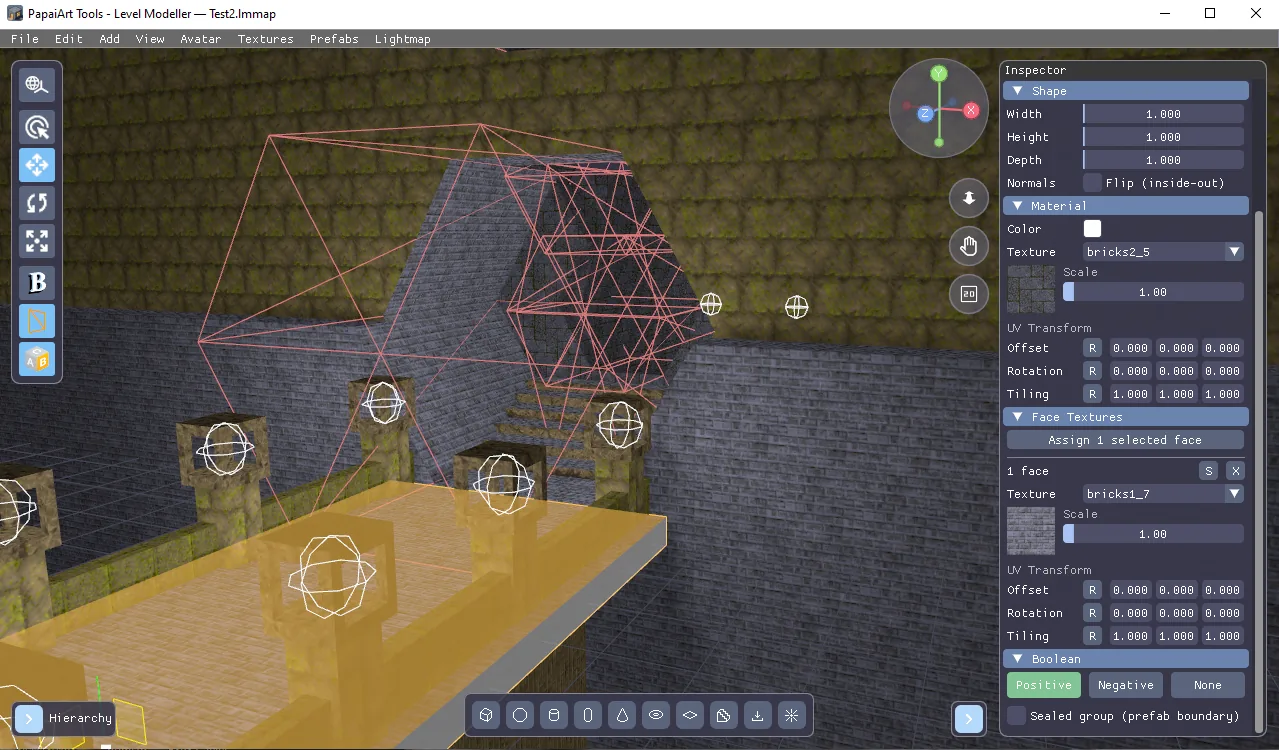
Per-Face Texturing Update — Paint Every Wall Its Own Way
You can now texture individual faces! Until now a texture applied to the whole object — from this update, every wall, floor, tread and cut surface can have its own material.
Face Select mode
A new tool joined the viewport toolbar (or press F): Face Select mode. Hover the level and the surface under your cursor lights up; click to select it, Shift-click to grab several at once. Selected faces glow orange so you always see exactly what you're about to change.
Faces are logical surfaces, not raw triangles: a box side is one face, a cylinder wall is one face, a staircase knows its treads and risers as separate groups. Imported meshes and level maps are split into their natural flat surfaces automatically — every wall and floor of an imported map is individually selectable.
Face Textures in the Inspector
With faces selected, hit Assign in the Inspector's new Face Textures section. Each entry gets:
- its own texture from your project library,
- its own scale, and
- a full UV transform (offset, rotation, tiling) — independent of the object's.
New entries start out looking exactly like the object, so nothing jumps until you edit it. Entries can be re-selected, retextured or removed at any time; removing one simply reverts those faces to the object's texture.
It plays nice with everything
- Booleans: cut a doorway through a wall and the wall keeps its per-face textures. The interior of the cut takes the cutter's texture — and yes, those cut walls are face-selectable too.
- Smart picking: face selection targets what you actually see. Wireframe cutters never swallow the click — you select the wall behind them; surfaces carved away by a boolean can't be picked through the hole.
- Saved & exported: face textures are stored in your map file, travel through undo/redo, and come out correctly in OBJ, GLB and the Unity export.