 FPS Lab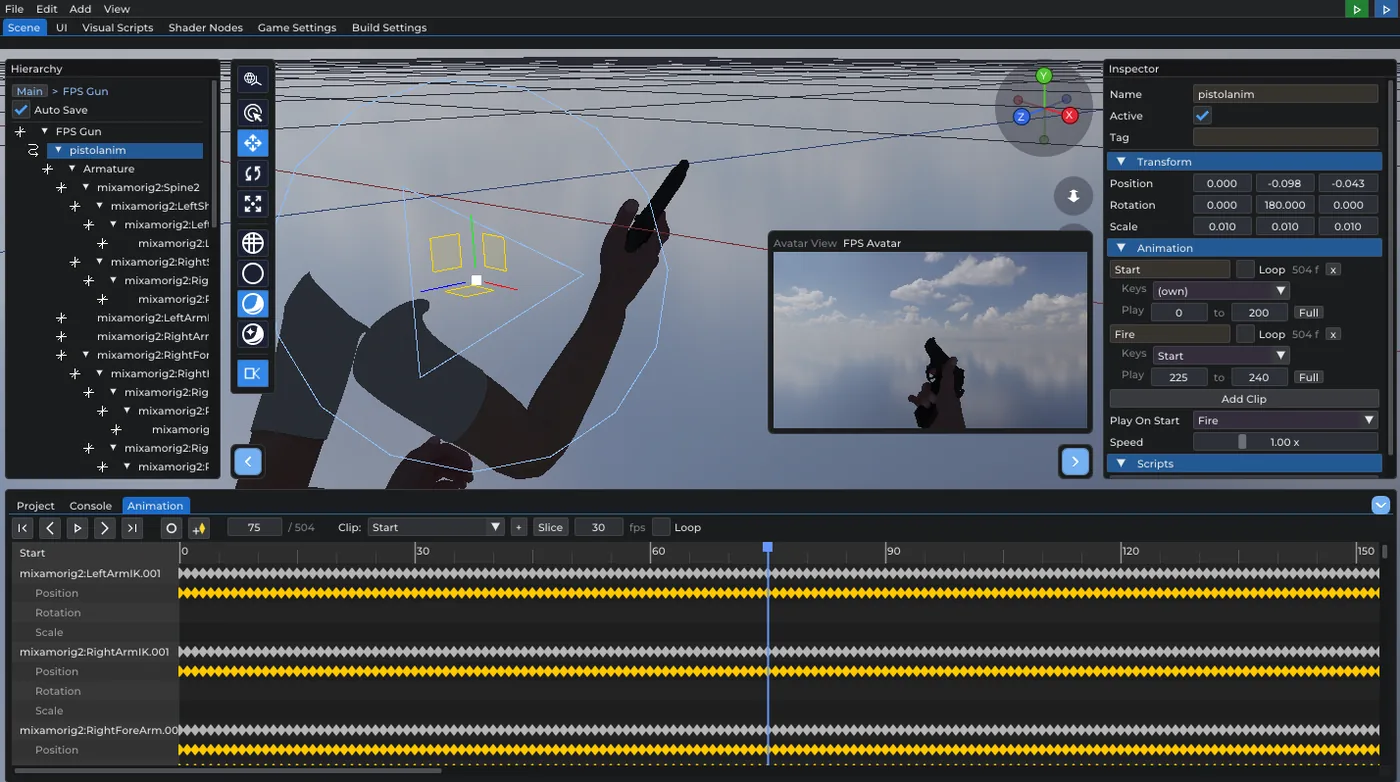
Avatar View: place a viewmodel against what the player sees
Prefab Mode got a new toolbar toggle. With it on, the camera preview no longer shows a selected camera object — it looks through the player's eye: the stage origin is the eye the weapon hangs off, framed with the avatar's viewmodel FOV. That is exactly the picture a weapon prefab is authored against, so you can place a gun by looking at it instead of guessing and hitting Play.
The missing half of that: a prefab's authored root position is now kept when it is saved, and the viewmodel instantiation reads it back. Before, the offset a weapon was placed with relative to the eye was quietly reset to zero — the one place where that offset is the whole point.
Textures are no longer upside down on primitives
The UV convention is now written down and enforced everywhere: V grows downward — v=0 samples the image's first row, which is its top. Nothing flips the load, so every generator (box, cylinder, cone, caps included) had to follow, and the importers already did (the FBX/OBJ paths flip their V-up source, glTF needs none). Locked in by tests.
Hierarchy: real multi-selection
- Shift+click selects every visible row between the anchor and the clicked one — over the rows as drawn, so a collapsed subtree counts as one row, not its whole contents.
- Ctrl+click toggles and moves the anchor.
- Grabbing a row that is part of the selection now drags the whole selection (its top level — children travel with their parents), and the drop is a
single undo step. Grabbing anything else drags just that row and leaves the selection alone. Drop targets outside the tree (an Inspector object field) are unchanged.
Can Run / Can Jump
The FPS Avatar gained two whole-ability switches, not just tuning numbers. A walk-only avatar — survival horror, a walking sim, an old-school shooter with no jump — turns them off and the controller ignores the Sprint / Jump actions entirely. The tuning values stay authored (the sliders grey out but keep their numbers), so the ability comes back exactly as it was, and the avatar illustration stops drawing a jump apex the player cannot reach.
Scripts can take an ability away and give it back at runtime — exhaustion, a cutscene, deep water, a story beat:
- Set Can Run / Set Can Jump (actions)
- Player Abilities (value node: Can Run / Can Jump)
Stop restores the authored values with the rest of the play state. Old scenes load with both abilities on, exactly as they behaved before.
Shader graphs: Screen Size
New input node in both the material and post-processing graph editors: Screen Size — Width, Height and Aspect. It is what an effect needs to know how wide a screen pixel is: pixel grids, letterboxing, anything that must survive a window resize. Live in post effects and in material graphs alike; the CPU preview stands in with 16:9.
Level Modeller maps: multi-page lightmaps
A big level's lightmap does not fit one texture at a usable texel density, so the atlas is split into pages. The .lmmap importer now reads the page list, resolves one baked sidecar per page, and treats the page as part of the material slot key — two draw groups sharing a texture and a color still land in different slots when they sit on different pages, otherwise half the level would sample the wrong ightmap. Older single-page maps are read unchanged. Covered by a new test.