 Level Modeller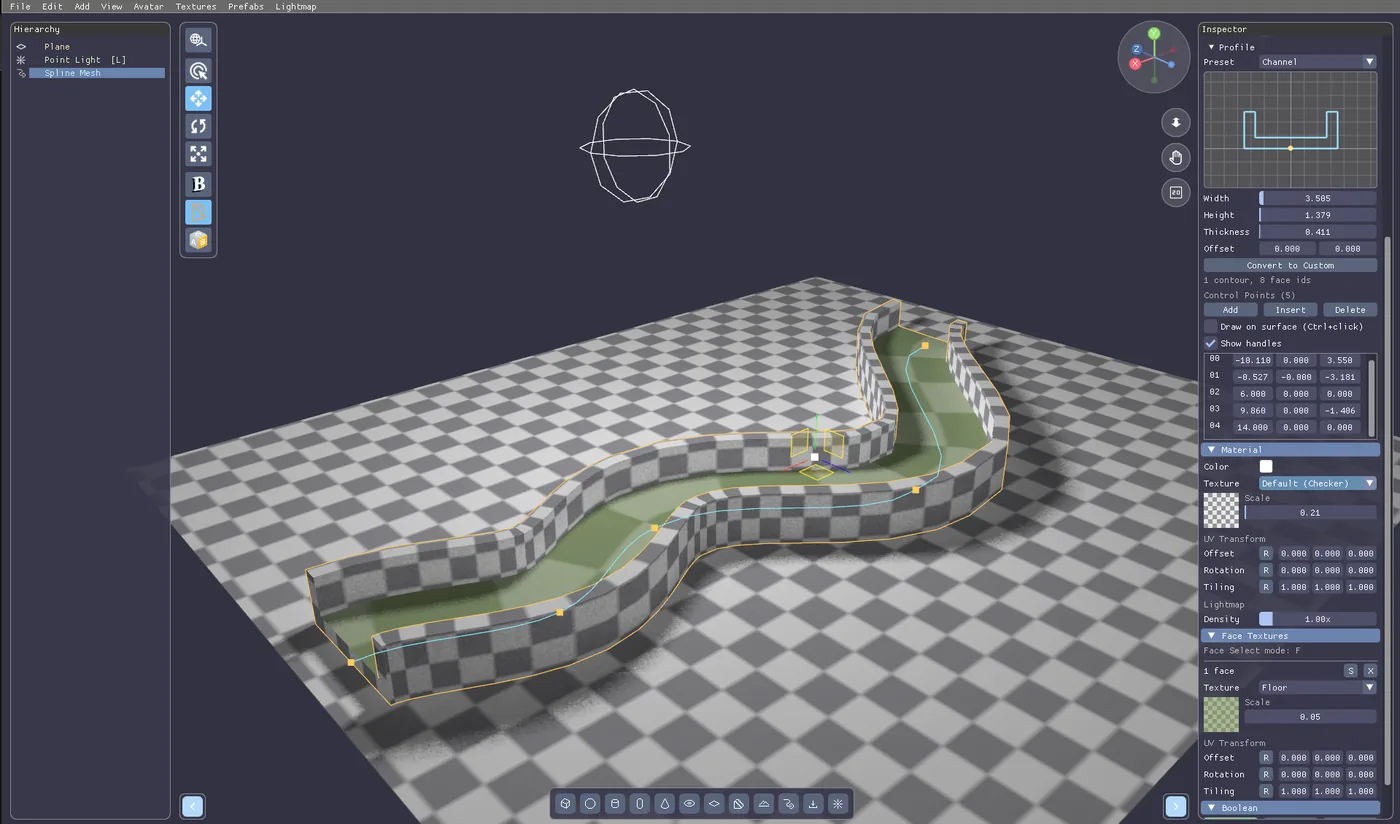
Spline Mesh in PapaiArt Tools · Level Modeller
Some shapes are miserable to build out of boxes. A curved tunnel. A road that bends around a hill. A handrail following a staircase. A pipe run along a ceiling. You can do all of it by hand-placing forty rotated cylinders — and then you change your mind about where the corridor goes, and you do it again.
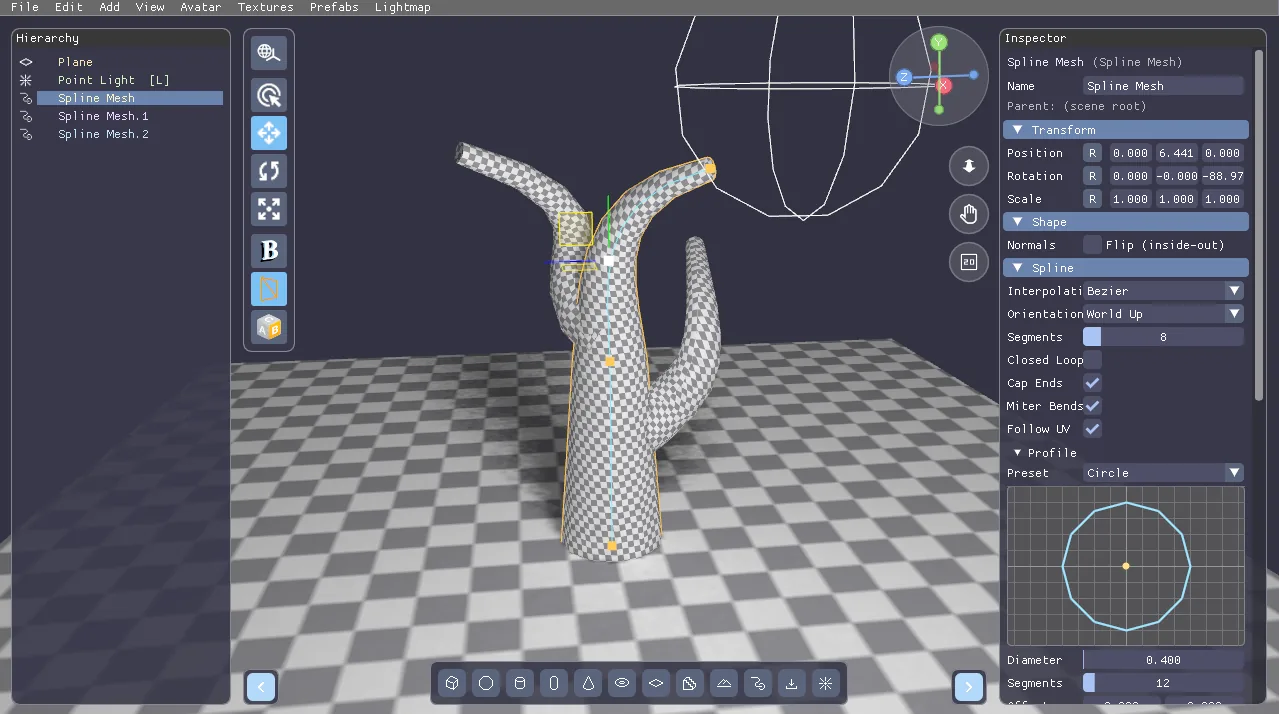
Spline Mesh is the new primitive that solves that class of problem: a 2D cross-section swept along a 3D curve.
The curve
You place control points; the curve runs through them. Three interpolation modes:
- Poly — straight segments, hard corners. Perfect for a fence line or a blocky duct.
- Bezier — per-point in/out handles for real control. The default.
- Catmull-Rom — the curve just passes smoothly through the points, no handle babysitting.
New points get auto handles — a fresh point is smooth by default, because a point that appears as a kink is never what you meant. Every point also carries its own tilt (roll around the tangent) and scale (taper), so a run can bank into a corner or narrow as it goes.
Extra switches: Closed Loop to join the last point back to the first, Segments per Span for tessellation along the run, and Miter, which widens the section at bends so a road keeps its width through a corner instead of pinching.
Which way is up
This one detail is the difference between "looks right" and "looks broken", so it's an explicit choice:
- World Up — the section keeps its +Y aimed at world up and only rolls when the curve goes near-vertical. This is what you want for anything architectural: a wall, a kerb, a handrail must not bank into a curve.
- Min Twist — a rotation-minimizing frame carried along the curve. This is what you want for pipes and cables, where continuity of the section beats "which way is up".
The profile
Eight built-in parametric sections: Rectangle, Circle, Pipe, L-Profile, Channel, Road Slab, Kerb, Handrail — plus Custom. Each preset exposes only the parameters it actually uses, under names that mean something for that shape (a Circle asks for Diameter and Segments, a Kerb asks for Width, Height and Batter).
The profile editor sits right in the Inspector, with a live preview on a grid. Switch a preset to Custom and it converts to an editable polygon exactly as it was — no re-drawing from scratch. From there: left-click an edge to insert a point (it lands on the nearest edge, so the polygon never ties itself in a knot), drag to move, right-click to delete, hold Ctrl to snap to the grid.
Drawing on the level
Turn on Draw on surface and Ctrl+click in the viewport appends a control point exactly where your cursor hits the built geometry — so a road follows the ground you already have. It extends from whichever end of the run you're working on, so you can grow a curve backwards just as easily as forwards.
Every control point gets its own gizmo in the viewport, with the active point's bezier handles drawn alongside. It isn't a modal "spline mode" — normal selection, the normal gizmo keys and every other tool keep working while you edit.
It's a real solid
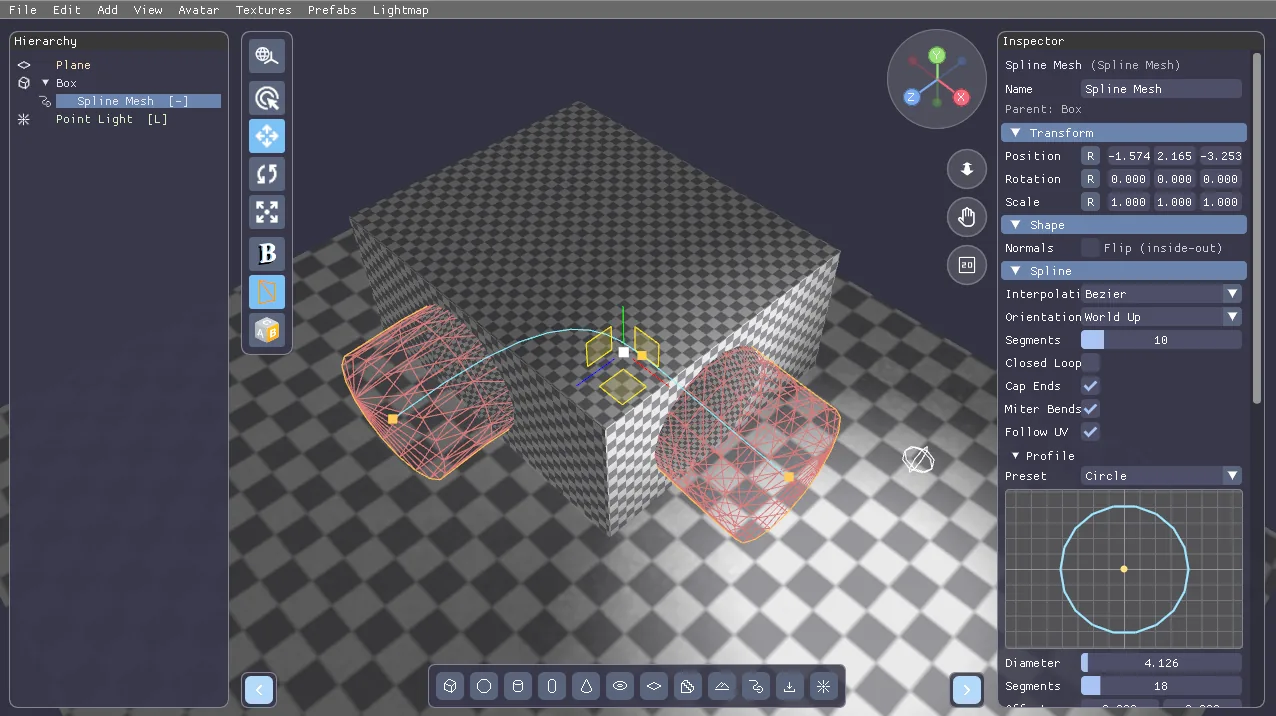
A closed profile plus Cap Ends produces a watertight mesh, which means a Spline Mesh is an ordinary boolean participant. Set one to Negative and it carves a tunnel through your level — a curved tunnel, done in about a minute. Turn Cap Ends off (or author an open profile) and you get a surface instead; the Inspector tells you so right where the switch is.
And it just works everywhere else
This was the design goal from the start: the sweep generator is the only new geometry code. Everything downstream consumes the resulting mesh unchanged — CSG booleans, triangle picking, texturing, the xatlas lightmap unwrap, the lightmap bake, and all exports: OBJ, GLB/glTF, the Unity package, and .lmmap for PapaiArt Tools · FPS Lab. Nothing needed a special case.
One nice extra: with Follow UV on, UV0 is generated from the sweep itself — U is arclength along the curve, V is distance around the profile, both in scene units. So a road texture keeps square texels no matter how long the road is, and tiling doesn't stretch through a corner. Turn it off and it falls back to the standard box projection every other primitive uses.