 Level Editor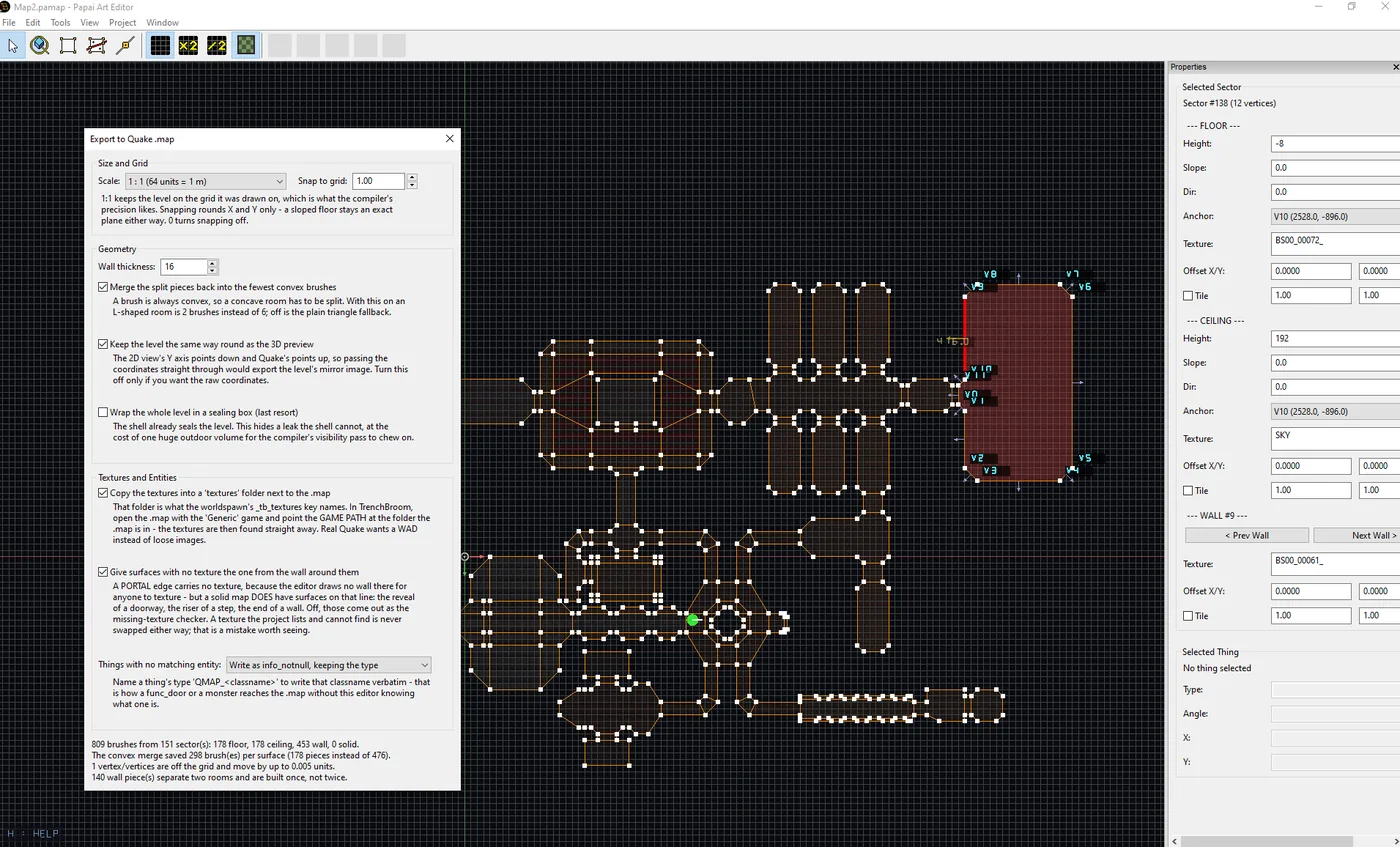
This build adds one menu item: File > Export to Quake .map. Your map comes out as a level that other tools can open and compile. There is also Tile Mode for floors and ceilings, and a texture bug that had been turning every wall the wrong way round finally got caught.
EXPORT TO QUAKE .MAP
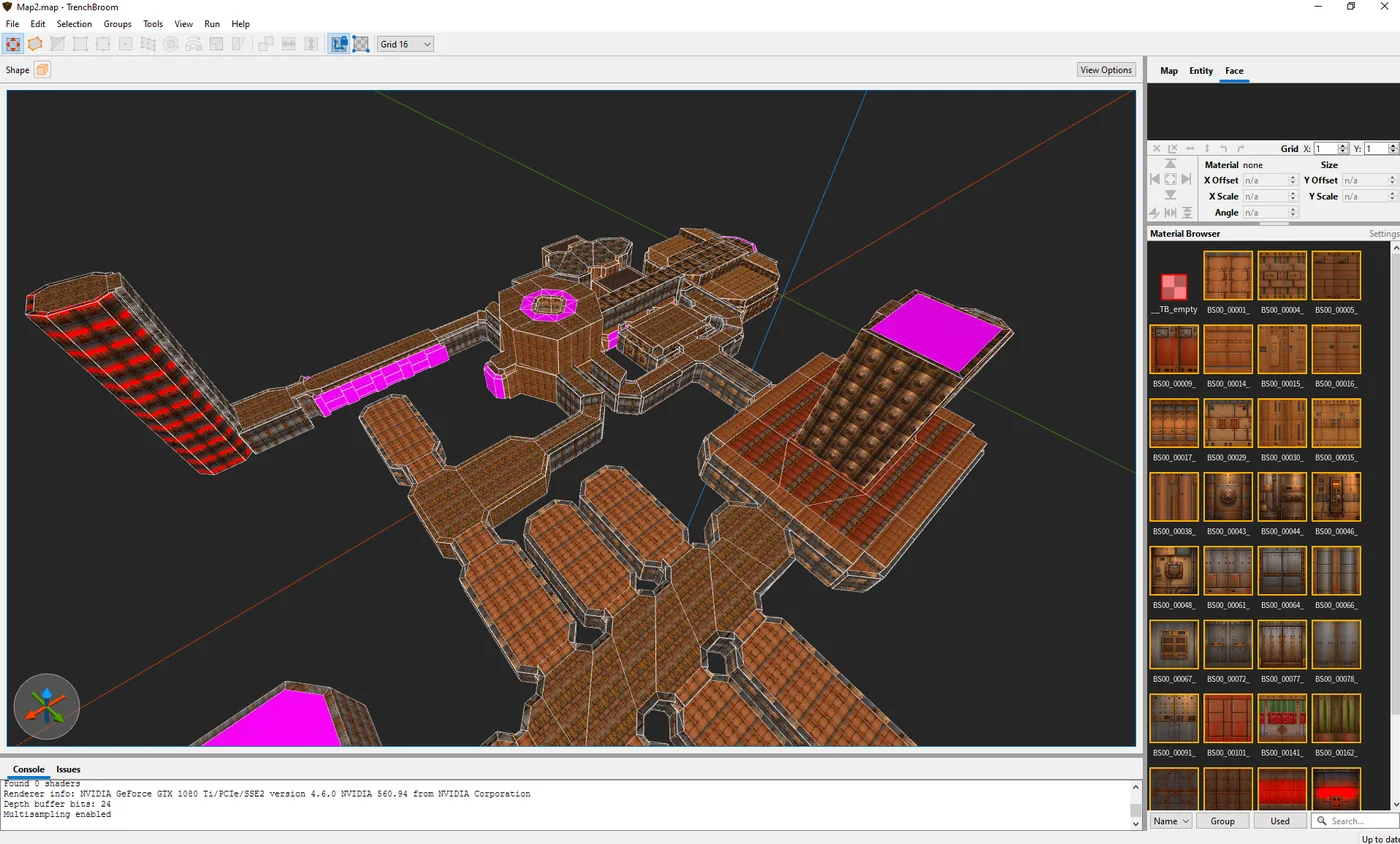
File > Export to Quake .map writes a single file that TrenchBroom, J.A.C.K. and NetRadiant open directly, and that func_godot (Godot), Scopa (Unity), the Unreal map importer and Blender's qmap importer can all read.
Textures come along. The export copies them into a "textures" folder next to the .map. In TrenchBroom, open the file with the "Generic" game and point the game path at the folder your .map is in. There is also a PapaiArtLevelEditor.fgd next to the editor - give it to TrenchBroom or func_godot and your player start stops being an "unknown entity". Before writing anything, the dialog builds the level and tells you what it found. The one to watch for is a thing standing outside every sector: level compilers refuse to finish a map they can escape from, and this tells you which thing to move. Two settings are worth a look. Scale keeps a metre at 64 units by default, which is the grid you drew on; the other option is 32, the proportion Quake uses. Wall thickness is how thick walls come out - 16 is fine, and you rarely need to change it.
WHAT COMES ACROSS
Slopes stay real slopes, not stairs. A height difference between two sectors becomes a step, with the texture you gave that wall. A sector drawn inside another becomes a hole in the floor; one whose ceiling sits at its floor becomes a solid pillar. Per-wall textures, offsets and Tile Mode all come across. Your player start becomes info_player_start. For anything else, name a thing's type QMAP_ plus a classname - QMAP_func_door, say - and exactly that comes out.
One thing to know: a Quake level is solid by default. Where your editor sees a room, Quake sees rock with a room-shaped hole in it. So the export builds the rock around your rooms. That is why walls have thickness now, and why an open doorway has visible sides.
TILE MODE FOR FLOORS AND CEILINGS
A floor or ceiling texture normally repeats every 64 units. With Tile Mode on, it stretches to fit the sector instead, as many times across as you ask for. One copy over a whole room, or four, or a neat 2 x 2 - good for a floor pattern, a logo or a rug that should not care how big the room is. It works everywhere now: in the 3D view, in the Quake export, in OBJ and GLB, in the Unity importer, and in Level Modeller and FPS Lab when they import a map.
WALL TEXTURES WERE MIRRORED
A test wall with a letter on it showed something nobody had spotted: wall textures were flipped left to right. Not in the new export - in the editor's own 3D view, in the viewer, in OBJ and GLB, and in the Unity importer. All of them, since forever. It hid for so long because wall textures are usually brick or panels, and a mirrored brick just looks like another brick. Put a letter, an arrow or a logo on a wall and it reads backwards at once. Fixed in all of them at the same time, so they still agree. While fixing it, the surfaces down the side of a doorway and the front of a step turned out to have no texture at all - the editor never draws them, so nobody ever set one. They now take the texture of the wall right next to them.
LEVEL MODELLER AND FPS LAB
Both import Level Editor maps, and both had fallen behind. They are caught up: Tile Mode works, and in Level Modeller imported wall textures were upside down, which is fixed.
BEFORE YOU UPDATE
Your existing maps will look different, on purpose. Wall textures are no longer mirrored, so if you ever nudged a wall's texture offset to line something up, that nudge will now be off. Check the walls where the exact position mattered. In Level Modeller, re-import any map you imported earlier.
The map file format has not changed. Old maps open as before, and maps saved by this build open in older versions.