 Level Modeller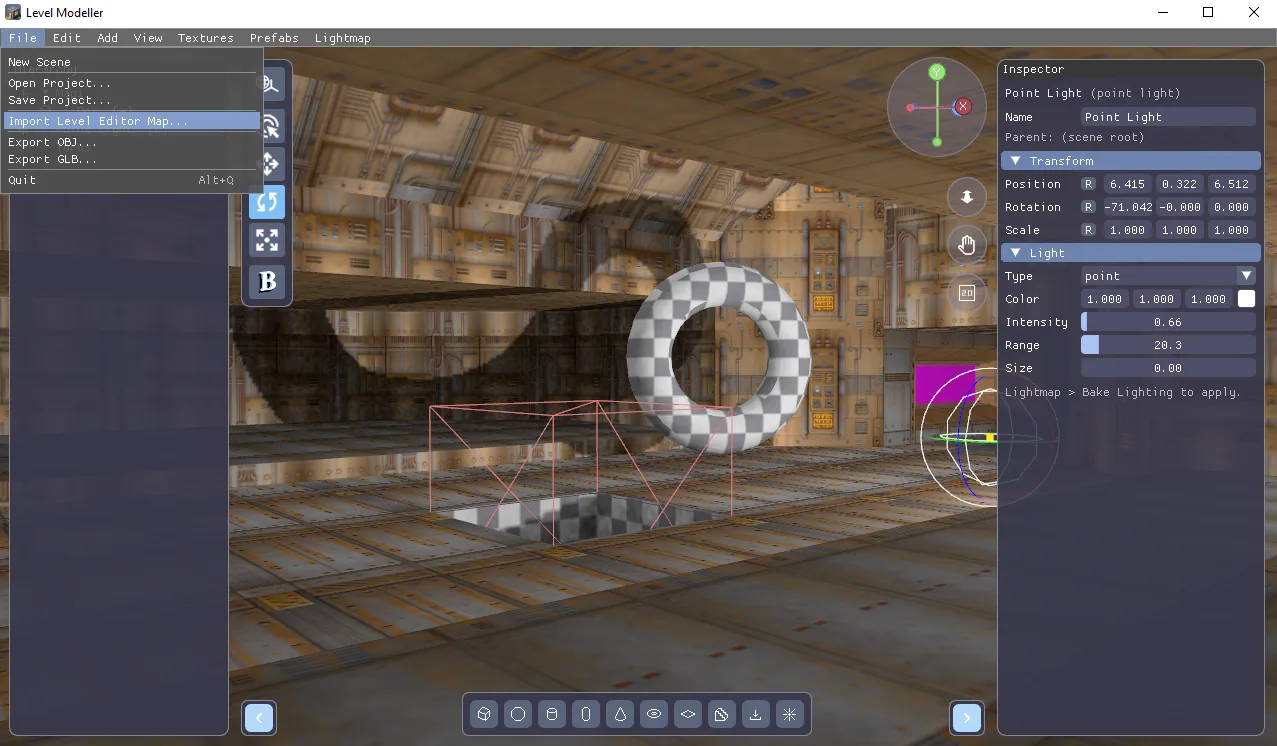
Today's update is a big one: PapaiArt Tools - Level Modeller and Level Editor now properly talk to each other, and the modeller got a round of engine and workflow upgrades.
Import your Level Editor maps — as real meshes
- New File → Import Level Editor Map… brings any Level Editor map into the modeller as a mesh object: floors, ceilings, walls, portal steps between connected rooms, nested rooms and slopes all come across exactly as the Level Editor builds them.
- The map's texture project loads along with it, and the imported mesh keeps every floor/ceiling/wall texture assignment. Everything arrives ready to render.
- The two tools now share the same texture project file format and name, so one
.projectfile can serve both. Older library files still open fine.
Multi-material meshes
- The engine now supports multiple materials on a single object — no more one-texture-per-mesh limit. Imported OBJ files with material groups get this automatically too.
Booleans on big meshes
- You can now carve into an imported map (or any large mesh) with positive/negative objects. The CSG core was rewritten to handle thousands of polygons without breaking a sweat — a whole class of freezes and crashes on large inputs is gone.
Rendering & selection
- The viewport is now anti-aliased (4x MSAA) — clean edges on walls, wireframes and gizmos.
- Backfaces are no longer drawn: look into a room from outside just like you'd expect in a level editor.
- Clicking now selects what you actually see — hidden back walls don't swallow your clicks anymore.