 Level Editor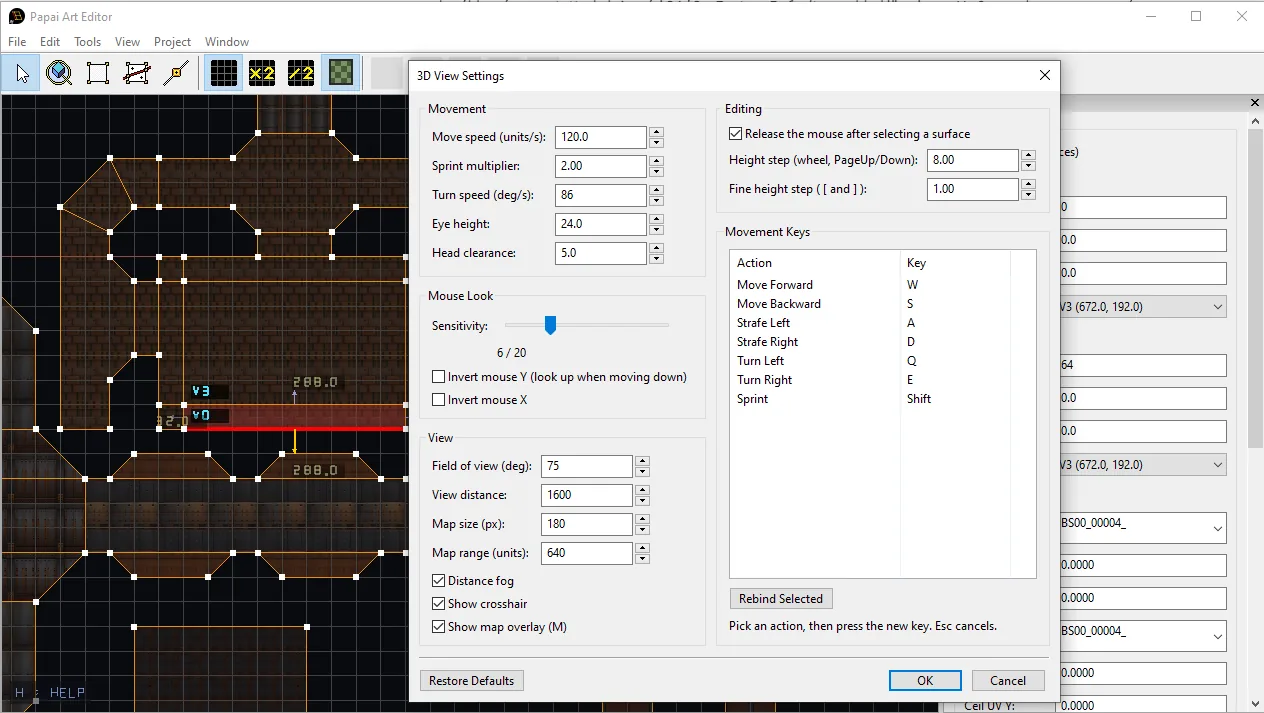
Floor textures in 2D view
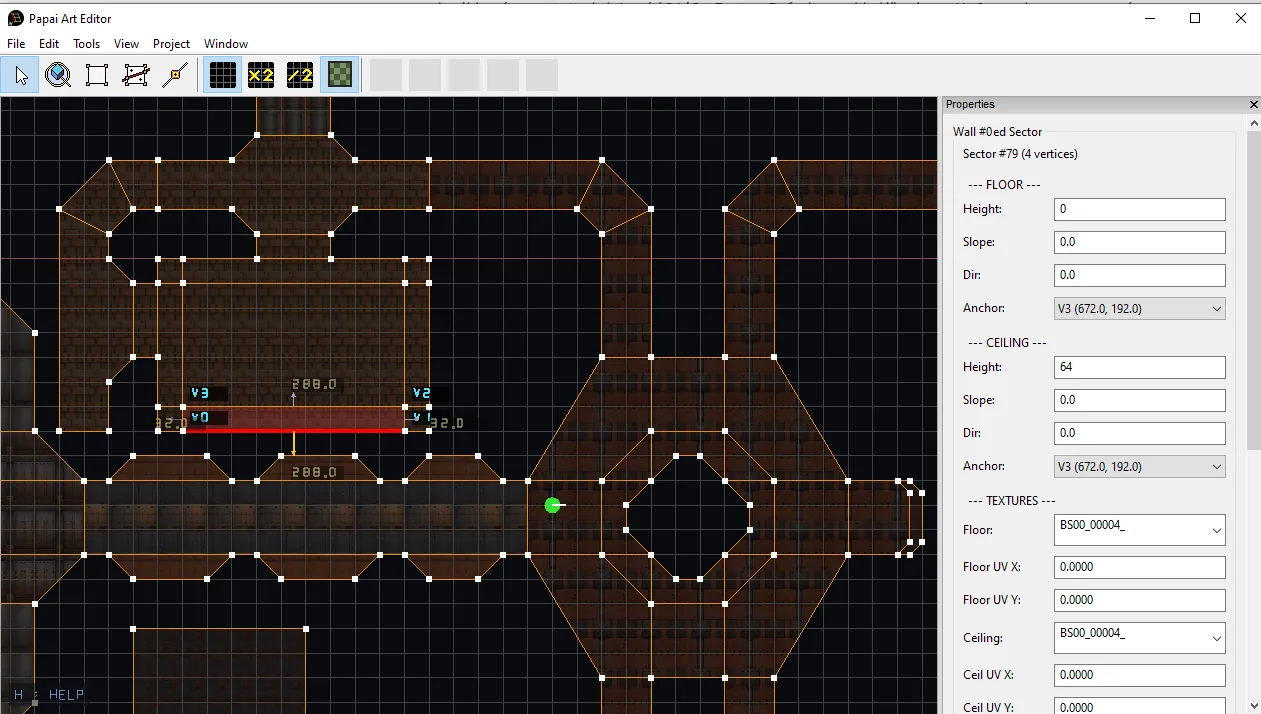
The 2D plan view now paints each sector with its actual floor texture, faintly, underneath the grid. It uses exactly the same UV mapping as the 3D view — world position divided by the tile size, plus the sector's own floor UV offset — so what you see in the plan is what the player will walk on, alignment and all.
A few details that matter in practice:
- The flats are drawn under the grid, so the grid, walls and vertices stay perfectly readable on top of them.
- The texture fades out as you zoom out. Once a tile shrinks below a few screen pixels it stops being information and starts being noise, so it gracefully disappears on the way to a whole-map overview instead of shimmering.
- Nested sectors are already cut out of their container, so holes stay holes.
- Toggle it from the toolbar, from
View → Show Floor Textures, or with F.
3D View Settings
Everything about moving around in 3D used to be a constant in the source: move speed, eye height, mouse sensitivity, field of view, fog distance. Now there's a proper settings dialog under View → 3D View Settings...:
- Movement — move speed, sprint multiplier, turn speed, eye height, head clearance
- Mouse Look — sensitivity on a plain 1–20 scale, invert Y, invert X
- View — field of view, view distance, distance fog, crosshair
- Editing — height step sizes, and an option to keep the mouse captured after selecting a surface, so you can pick several faces in one sweep
- Movement Keys — rebind forward/backward/strafe/turn/sprint. Pick an action, press the key, done. A key already used by another movement action is taken off it automatically, so you can't end up with two actions on one key.
The settings are saved automatically to your user profile and reloaded on startup, so they follow you from project to project. There's a Restore Defaults button when you want the original feel back.
Two nice side effects: the in-viewport help legend and the window title now spell out your actual keys instead of a hard-coded "WASD", and the view distance now drives both the fog density and the geometry culling from one number, instead of the two being tuned by hand to match.
Retro automap overlay
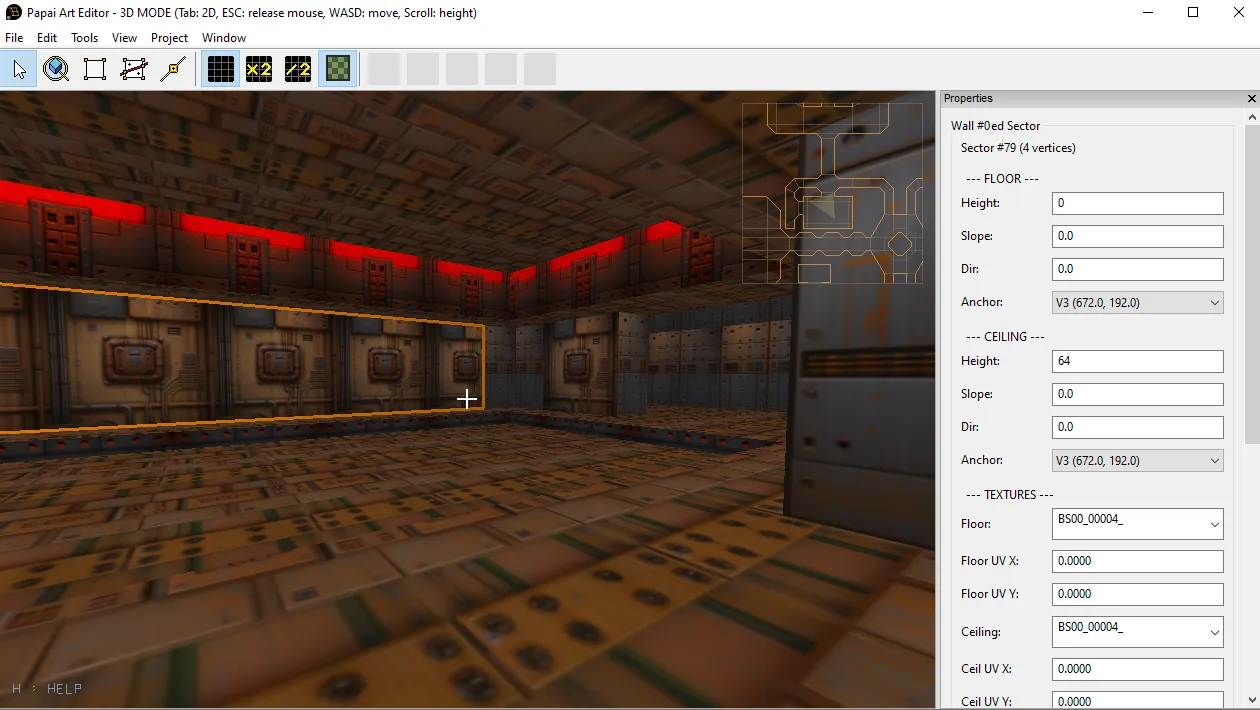
The 3D view now has a small line map in the top-right corner, in the spirit of the automaps from 90s shooters — but >span class="_wordAnimating_yu34g_11">quiet.
- Player-centred and north-up, the same orientation as the 2D editor, so switching views doesn't force you to re-orient.
- Solid walls are drawn in muted amber; portals — the edges you can actually walk through — are much fainter, which is what makes an automap readable at a glance.
- The only bright thing on it is the player arrow, with a faint cone showing your real field of view.
- Toggle with M; size and covered range are in the settings.